How Does a Plastic Card Printer Work? Explained
Table of Contents []
- What Actually Happens Inside a Plastic Card Printer - And Why It Matters for Your Business
- The Physical Journey of a Card Through the Printer
- Choosing the Right Printer for Your Card Volume
- Consumables: The Ongoing Supplies That Keep Your Program Running
- Common Applications: Who Uses In-House Card Printing?
- Frequently Asked Questions About How Plastic Card Printers Work
- Why Plastic Card ID Is the Right Partner for Your Card Printing Program
What Actually Happens Inside a Plastic Card Printer - And Why It Matters for Your Business
 Most people hand over a plastic ID card, swipe a loyalty card, or badge through a secure door without giving a second thought to how that card was made. But if you're the person responsible for producing those cards - managing an ID program, outfitting a membership organization, or securing a facility - the mechanics behind the machine matter enormously. Understanding how a plastic card printer works helps you choose the right equipment, troubleshoot problems faster, and get the most from your investment.
Plastic Card ID has spent more than 25 years putting professional-grade card printers into the hands of businesses across the United States. With over 100,000 customers served and a curated lineup of printers from Evolis, Fargo, Zebra, and Matica, CPE knows this technology inside and out. This page breaks it all down - the printing process, the hardware components, the consumables, and how it all comes together to produce the durable, sharp, professional cards your organization depends on.
The Core Technology: Dye Sublimation Explained
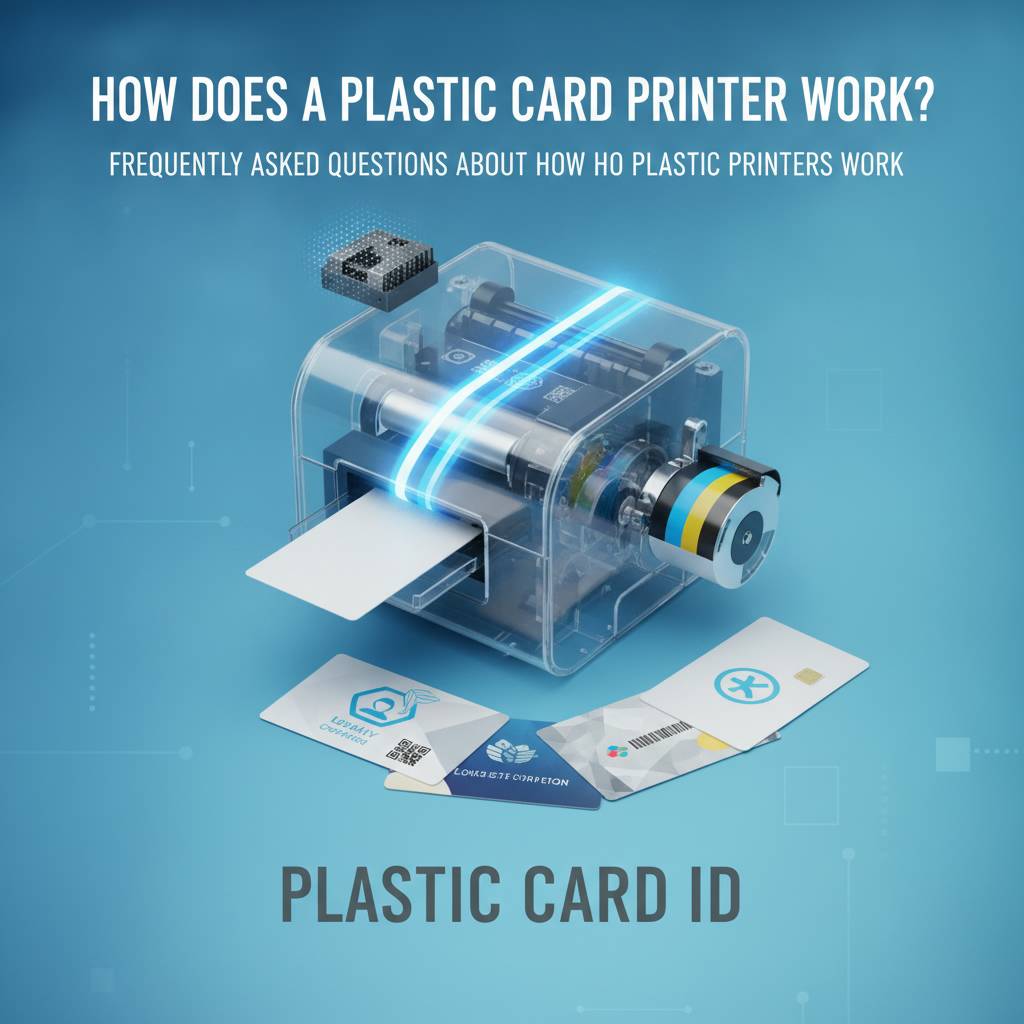
The vast majority of professional plastic card printers use a process called dye sublimation, and once you understand it, the quality of the output makes complete sense. Unlike inkjet or laser printing, dye sublimation doesn't deposit ink on the surface of a card. Instead, it uses heat to convert solid dye into a gas, which then permeates directly into the PVC surface of the card. The result is color that's embedded in the card itself, not sitting on top of it.
This process happens in passes. A printhead containing hundreds of tiny heating elements moves across a ribbon - typically a YMCKO ribbon containing panels of Yellow, Magenta, Cyan, Black, and Overlay - transferring each color in sequence. The overlay panel, that final "O," applies a protective clear coating over the printed image. It's this layer that gives professional ID cards their characteristic smooth finish and resistance to everyday wear.
What makes this method superior for card printing? Precision, durability, and color fidelity. Because the dye is thermally driven into the card's substrate rather than applied as a surface layer, you get photographic-quality gradients, crisp text, and colors that don't peel or fade under normal handling conditions - qualities that cheap inkjet alternatives simply cannot match on PVC.
Direct-to-Card vs. Retransfer Printing
There are actually two main approaches to dye sublimation card printing, and the distinction matters depending on your application. Direct-to-card (DTC) printing is the more common method. The printhead contacts the ribbon and transfers the image directly onto the card's surface. It's fast, cost-effective, and produces excellent results for standard ID cards, membership cards, loyalty programs, and access credentials.
Retransfer printing - used in higher-end models like the Evolis Agilia - takes an extra step. The image is first printed onto a clear transfer film, which is then thermally bonded to the entire surface of the card, including over smart chip contacts and edge-to-edge. This method produces superior edge-to-edge print coverage, better image uniformity on uneven card surfaces, and a more tamper-evident result. It's the preferred choice for high-security applications and premium credential programs.
How Encoding Works Alongside Printing
Modern plastic card printers don't just print - they can write data to your cards at the same time. Magnetic stripe encoding, for example, uses a read/write head positioned inside the printer to magnetize particles on the card's stripe as it passes through. You supply the data string; the printer encodes it without any additional manual steps. Cards come out printed and encoded in a single pass.
Smart chip encoding works on a similar principle but communicates with the chip's contacts using an electrical interface built into the printer's card path. When you call CPE at 800.835.7919, they can walk you through exactly which encoding upgrades are compatible with your chosen printer model, whether you need ISO magnetic stripe tracks, contact smart cards, or contactless RFID configurations.
| Feature | Direct-to-Card | Retransfer |
|---|---|---|
| Print Coverage | Near edge-to-edge | True edge-to-edge |
| Image Durability | Good | Excellent |
| Speed | Fast | Moderate |
| Cost Per Card | Lower | Higher |
| Best For | General ID programs | High-security credentials |
The Physical Journey of a Card Through the Printer
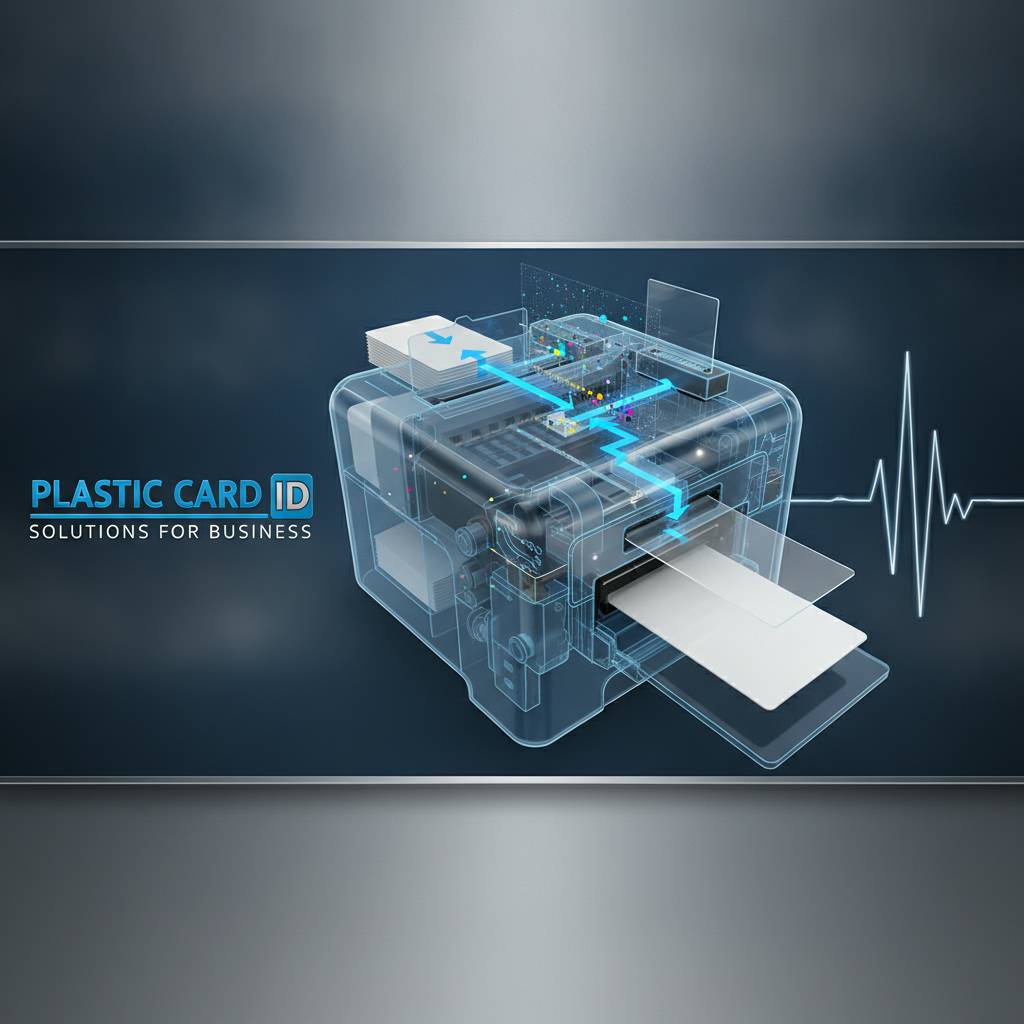 Understanding the card's physical path through the machine clarifies why certain components - and their maintenance - are so critical. From the moment a blank PVC card leaves the input hopper to the moment a finished, encoded card drops into the output tray, a precise mechanical sequence unfolds. Every component in that path contributes directly to print quality, and a single contaminated roller or worn cleaning pad can degrade output across an entire batch.
Let's walk through that path step by step, because knowing it helps you operate your printer more intelligently and catch issues before they waste cards and ribbon.
Input Hopper, Card Feeding, and Registration
The process begins at the input hopper, which holds a stack of blank PVC cards - typically up to 100 cards in standard configurations, more with optional extended hoppers. A feed mechanism picks cards one at a time and draws them into the printer body. Registration rollers then position the card precisely relative to the printhead and encoding components. Misalignment at this stage means misprinted images or failed encoding.
Card cleanliness matters enormously here. Dust, oils from handling, or surface contaminants will cause visible print defects - white spots, streaks, or blotchy color. This is exactly why cleaning kits are not optional accessories but essential maintenance tools. Most professional printers have a built-in cleaning cycle that uses adhesive cleaning cards to remove debris from rollers and the card path before it reaches the printhead.
The Printhead and Ribbon Interaction
Once registered, the card moves under the printhead - a long, thin element containing a dense array of heating resistors. As the card advances at a controlled rate, the printhead presses against the ribbon and applies precisely calculated heat to each resistor. Yellow is applied first, then the card reverses or the ribbon advances, and Magenta follows, then Cyan, then the Black resin panel for sharp text and barcodes, and finally the protective Overlay.
The YMCKO ribbon is consumed panel by panel. Each card uses one set of panels, which is why ribbon yield is measured in cards per ribbon - a standard YMCKO ribbon for a mid-range Evolis printer typically yields 200-500 full-color card sides depending on the model and image coverage. Choosing the right ribbon type for your application - full YMCKO for photo ID cards, monochrome black for text-only membership cards, or specialty formulations for specific substrates - directly affects your cost per card.
Output, Lamination, and Card Delivery
After printing and encoding, the card moves to the output stage. On single-sided printers, the card proceeds directly to the output tray. On dual-sided models, a flipper mechanism physically rotates the card 180 degrees so the reverse side can make its own pass under the printhead. This is how employee ID cards with a front-side photo and a back-side barcode are produced in a single automated cycle.
Some printer configurations include an inline lamination module - a separate unit that bonds a thin protective overlay film to one or both sides of the card after printing. Lamination significantly extends card lifespan and adds a layer of security against tampering or counterfeiting. For organizations issuing long-lived credentials like student IDs or corporate access badges, inline lamination is one of the smartest investments in the card production workflow.
Choosing the Right Printer for Your Card Volume
The printer that's right for a school district printing 500 student IDs at the start of each year is not the right printer for a hotel group encoding thousands of room key cards every week. Volume, speed, and feature requirements all factor into the selection. Getting this right from the start saves money and frustration.
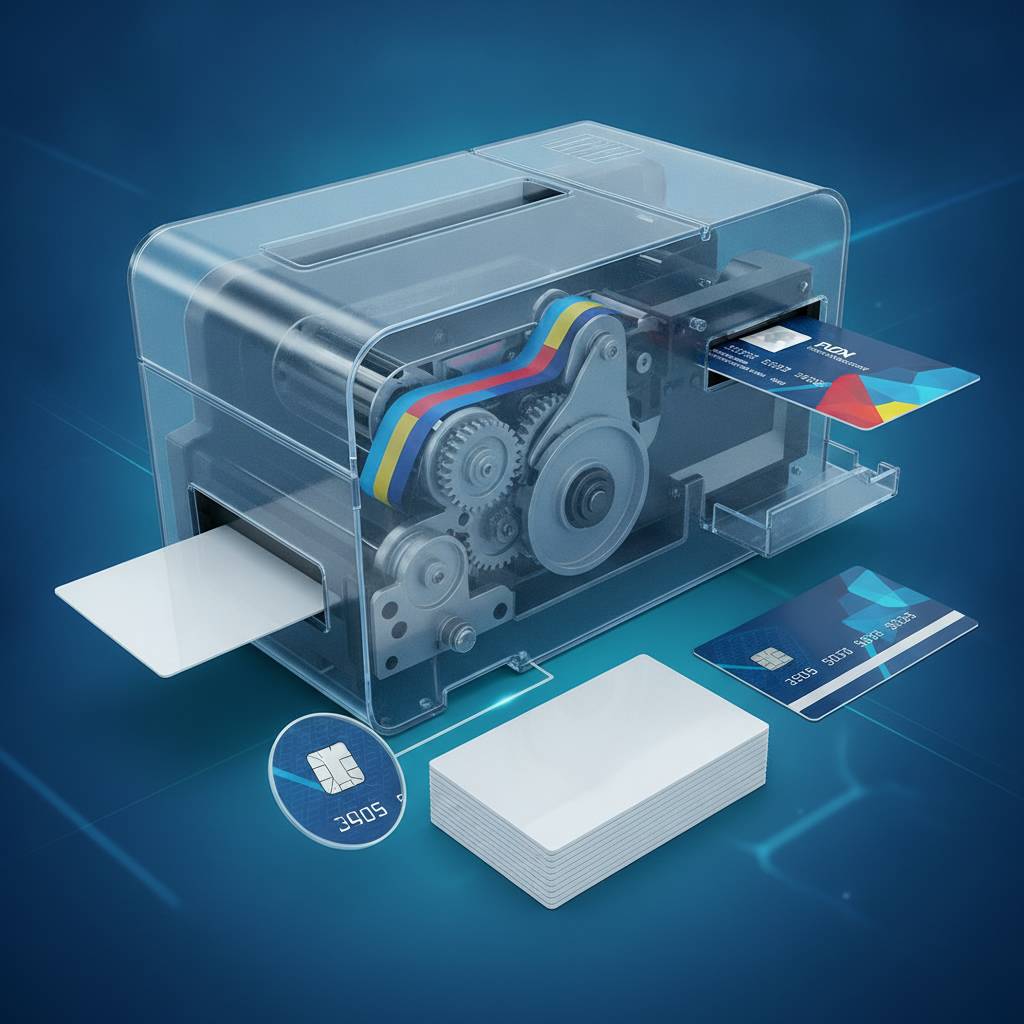
Plastic Card ID stocks printers across every tier of production demand, and CPE takes a consultative approach to helping customers match the right machine to their actual needs - not the most expensive option available, and not a machine that will be overwhelmed by the workload.
Entry-Level Printers: Low Volume, High Value
For organizations printing fewer than 1,000 cards per year, entry-level desktop printers offer a compelling combination of affordability and genuine professional output. The Evolis Badgy200 is a standout in this category - compact, USB-connected, and capable of producing full-color, professional-grade ID cards at a price point that makes in-house card printing accessible even for small businesses, nonprofits, and community organizations.
These printers are single-sided by default, typically lack built-in encoding capabilities unless upgraded, and have smaller input hoppers. But for organizations that don't need high throughput or complex encoding, they represent tremendous value. The cards they produce are indistinguishable in quality from cards produced by far more expensive equipment.
Mid-Range Workhorses: The Sweet Spot for Most Organizations
The Evolis Zenius and Primacy2 represent what most organizations actually need - capable machines that handle 1,000 to 6,000 cards per month without complaint, with options for dual-sided printing, magnetic stripe encoding, and smart chip encoding. These printers are designed for daily use in HR departments, campus ID offices, fitness centers, healthcare facilities, and similar environments where card printing is a regular operational task, not an occasional project.
Fargo and Zebra printers in this tier add robust options for security-conscious ID programs. Zebra's ZC series, for example, incorporates features specifically designed for government and corporate environments where credential integrity is non-negotiable. These aren't just printers - they're components of a broader security infrastructure.
High-Volume and Event Printing Solutions
At the top of the production scale, organizations running large-scale card programs need hardware that can sustain throughput without sacrificing quality or reliability. The Evolis Agilia delivers premium retransfer printing for the highest-quality output demands. The Matica Event Printer fills a specialized but critically important niche - high-speed on-site badge printing for conferences, trade shows, festivals, and similar events where hundreds or thousands of credentials need to be produced quickly and on location.
Call 800.835.7919 to discuss high-volume configurations, including optional input hoppers that hold larger card batches and output stackers that keep finished cards organized. CPE can help you spec out a system that meets your throughput targets without over-engineering the solution.
Consumables: The Ongoing Supplies That Keep Your Program Running
 A plastic card printer without the right consumables is just an expensive paperweight. Ribbons, cleaning kits, and lamination film aren't afterthoughts - they're integral to the quality and consistency of every card you produce. Understanding what you need and why lets you budget accurately and avoid the operational disruption of running out mid-batch.
Printer Ribbons: Matching the Right Ribbon to the Right Job
Ribbon selection is more nuanced than it might appear. Full-color YMCKO ribbons are the standard choice for photo ID cards, membership cards, and any credential where a full-color photograph or design is required. Monochrome ribbons - available in black, white, gold, silver, and other colors - are used when only single-color printing is needed, and they offer a significantly lower cost per card than YMCKO. Specialty ribbons handle tasks like printing on non-standard substrates or applying security features.
- YMCKO ribbons - Full-color with protective overlay; standard for photo ID and membership cards
- YMCKOK ribbons - Add a second black resin panel for sharper text and barcodes on the back side
- Monochrome black ribbons - Cost-effective for text-only or barcode-only printing
- Monochrome color ribbons - Gold, silver, red, and blue options for specialty applications
- Half-panel ribbons - Optimized for cards with color on one half and black text on the other
Always use manufacturer-approved ribbons for your specific printer model. Off-brand ribbons may seem like a cost-saving measure, but they frequently cause printhead damage, inconsistent color output, and ribbon jams that waste cards and time. Plastic Card ID supplies genuine ribbons for every printer in its lineup.
Cleaning Kits: Non-Negotiable Maintenance
Every printer manufacturer specifies a cleaning interval - typically every 1,000 cards or with every ribbon change, depending on the model. Cleaning kits include adhesive cleaning cards that are run through the card path to lift debris from rollers and transport components, along with cleaning swabs or wipes for the printhead and other accessible surfaces.
Skipping cleaning cycles is the single most common cause of premature printhead failure and degraded print quality. A printhead replacement can cost $200-$500 or more - far more than the cost of consistent cleaning. Think of cleaning supplies as printhead insurance. They're inexpensive, and the maintenance interval is short enough that there's genuinely no good excuse to skip it.
Encoding Upgrades, Hoppers, and Card Accessories
Beyond ribbons and cleaning supplies, a complete card program often requires additional hardware and accessories. Magnetic stripe encoding modules can be added to many printers at purchase or as post-purchase upgrades. Smart chip contact and contactless RFID encoding modules are available for printers that support them. Extended input hoppers increase the printer's card capacity for higher-volume production runs without operator intervention.
Card carriers and sleeves protect finished credentials during distribution and use. Lanyards, badge reels, and card holders are the final link between the card and the person carrying it. CPE stocks the full range of these accessories so customers can source everything from a single supplier rather than piecing together a card program from multiple vendors.
Common Applications: Who Uses In-House Card Printing?
 The range of organizations running in-house card programs is broader than most people realize. From corporate campuses to community gyms, the need to issue, manage, and refresh credentials is nearly universal. In-house printing gives organizations a capability that external vendors simply cannot match: immediate, on-demand card production with complete control over data, design, and encoding.
Employee ID and Access Control
Corporate and institutional environments issuing employee ID cards are among the most common users of in-house card printing. The ability to print and encode a new employee's badge on their first day - rather than waiting days for an outside vendor - is operationally significant. Cards can include a photograph, name, title, department, barcode, and magnetic stripe or smart chip encoding for access control systems, all produced in a single printer pass.
When employees leave, access can be revoked at the system level immediately. When cards are lost or damaged, replacements are printed on the spot. This level of control is simply unavailable when card production is outsourced.
Membership, Loyalty, and Student ID Programs
Gyms, clubs, libraries, professional associations, and retail loyalty programs all issue plastic cards to their members. The volume for these programs varies wildly - a small yoga studio might issue 200 cards a year, while a university student ID office might issue 5,000 cards in the first two weeks of each semester. The right printer for each environment differs accordingly, and Plastic Card ID stocks solutions for the full spectrum.
Student ID programs in particular benefit from dual-sided printing and magnetic stripe encoding. A student ID that also functions as a library card, meal plan card, and building access credential is far more valuable than a simple photo ID - and producing it in-house means the institution controls every element of that credential.
Hospitality, Events, and Specialty Credentials
Hotels encoding room key cards, event organizers producing on-site badge credentials, and healthcare facilities issuing visitor passes all represent specialized but high-value applications for in-house card printing. The Matica Event Printer, in particular, was designed for exactly the kind of high-speed, high-stakes credential production that events demand - where a slow printer isn't just inconvenient but operationally damaging.
For hospitality environments encoding hotel key cards, the magnetic stripe or smart chip encoding capability of a properly equipped card printer means front-desk staff can issue and re-issue room keys instantly, without dependency on external systems or third-party vendors for the physical card production step.
Frequently Asked Questions About How Plastic Card Printers Work
After 25 years in the industry and conversations with more than 100,000 customers, CPE has heard every question imaginable about card printer mechanics, capabilities, and limitations. Here are the questions that come up most often - answered directly and practically.
How long does it take to print a card?
Print speed varies by printer model, card complexity, and whether single or dual-sided printing is required. A typical direct-to-card printer produces a single-sided full-color card in approximately 30-60 seconds, including encoding. Dual-sided cards take roughly double that time. High-throughput models reduce this significantly. For batch production, the practical throughput is often quoted in cards per hour - entry-level models might produce 150-200 cards per hour, while higher-end systems exceed 500 cards per hour.
Event printing scenarios, where speed is critical, favor printers specifically designed for high throughput like the Matica Event Printer. Matching printer speed to your production timeline is just as important as matching it to your annual card volume.
Can any plastic card be used in any printer?
Not exactly. Most professional card printers are designed for standard CR80-sized PVC cards - the same dimensions as a credit card (3.375 x 2.125 inches) with a standard 30 mil thickness. Using cards that are outside the printer's specified thickness range can cause jams, roller wear, and inconsistent print quality. Some printers accommodate thicker cards for laminated credentials or thinner cards for specific applications.
Magnetic stripe cards must be positioned correctly (stripe side down or up, depending on the printer's encoding head orientation). Smart chip cards must be oriented to align chip contacts with the encoder. Your printer documentation and the team at 800.835.7919 can confirm card specification requirements for any model.
What maintenance does a card printer actually require?
Regular cleaning is the primary maintenance task - cleaning cards through the card path with every ribbon change, or every 500-1,000 cards depending on manufacturer specifications. Beyond that, printheads are a wear item with a finite lifespan measured in cards printed. Keeping the printhead clean significantly extends its life. Rollers should be inspected periodically for wear or contamination.
- Run cleaning cards through the card path with every ribbon change
- Use the printer's built-in cleaning cycle feature if available
- Keep blank card stock in sealed packaging until ready to use
- Store ribbons away from direct light and extreme temperatures
- Contact Plastic Card ID for printhead replacement when print quality degrades despite cleaning
Why Plastic Card ID Is the Right Partner for Your Card Printing Program
 There's no shortage of places to buy a card printer. What's harder to find is a supplier with the depth of experience, the curated product selection, and the genuine operational knowledge to help you build a card program that actually works - day after day, year after year. Plastic Card ID has been doing exactly that for over 25 years, and those 100,000-plus customers don't keep coming back for the hardware alone.
They come back because CPE understands the full picture. Not just the printer, but the ribbons that feed it, the cleaning supplies that maintain it, the encoding modules that extend its capability, and the accessories that complete the card program. That end-to-end understanding is what separates a genuine specialist from a box-mover.
A Curated Lineup, Not a Catalog Dump
Every brand in the Plastic Card ID lineup - Evolis, Fargo, Zebra, and Matica - was chosen because it represents genuine professional quality at its respective price point and application tier. You won't find consumer-grade printers dressed up as business solutions, or obscure brands with unreliable supply chains for consumables. Every product in the lineup is one the CPE team is willing to stand behind, and that confidence is backed by decades of real-world customer experience.
From the Evolis Badgy200 for small-volume applications to the Evolis Agilia for premium retransfer output, the range covers every legitimate card printing need in the business world. And because CPE also supplies all the consumables those printers require, customers can maintain a single supplier relationship for the entire operational life of their card program.
Real Expertise on the Other End of the Line
When you call 800.835.7919, you're not reaching a general customer service team reading from a script. You're reaching people who know card printers - who can discuss the difference between YMCKO and YMCKOK ribbons, explain why your Fargo printer is striping on monochrome output, or help you determine whether your access control application needs magnetic stripe, contact smart card, or contactless RFID encoding.
That level of specialized knowledge is genuinely rare in the hardware supply space, and it translates directly into better purchasing decisions, fewer operational problems, and longer equipment lifespan for Plastic Card ID customers. Expertise is a feature, and it doesn't cost extra.
Supporting the Full Lifecycle of Your Card Program
A card printer purchased today will likely be in service for five, seven, or even ten years if properly maintained. Plastic Card ID supports that entire lifecycle - with ongoing supplies, replacement components, and the institutional knowledge to help customers navigate printer generations and technology transitions as their programs grow and evolve.
Whether you're setting up a card program for the first time, upgrading aging equipment, or scaling production to meet growing organizational needs, CPE has the products and the experience to support every phase of that journey. This is a long-term partnership, not a one-time transaction.
Ready to understand exactly which card printer is right for your organization? Contact Plastic Card ID today at 800.835.7919 - and get expert guidance from a team that has spent over 25 years matching the right equipment to the right application.
Dual-Sided ID Card Printer for Professional Results
Previous Page