Desktop Plastic Card Printer: Compact Solutions for Any Office
Table of Contents []
- Why Plastic Card ID Is the Go-To Source for a Desktop Plastic Card Printer
- Understanding the Desktop Plastic Card Printer Landscape
- Fargo and Zebra Desktop Card Printers: Built for Security-Focused Programs
- Ribbons, Supplies, and the Full Ecosystem Behind Your Card Program
- Buyer's Guide: Selecting the Right Desktop Plastic Card Printer for Your Organization
- Applications: What Are Businesses Actually Printing with Desktop Card Printers?
- Ready to Build Your Card Program? Plastic Card ID Has Everything You Need
Why Plastic Card ID Is the Go-To Source for a Desktop Plastic Card Printer
 There's a moment every organization reaches - the ID badges look sloppy, the membership cards feel flimsy, the access credentials are running out - and someone finally asks: why aren't we printing these ourselves? That question leads straight to Plastic Card ID, a supplier with more than 25 years of experience helping businesses across the United States take control of their card programs. With over 100,000 customers served, the track record speaks louder than any sales pitch.
A desktop plastic card printer isn't just a piece of office equipment. It's a production tool that puts your brand, your security, and your operational efficiency directly in your hands. No waiting on outside vendors. No minimum order quantities. No surprises when a batch comes back looking wrong. CPE carries a carefully selected lineup of professional-grade hardware from Evolis, Fargo, Zebra, and Matica - brands that define the industry rather than follow it.
Whether you're issuing employee ID cards, student IDs, loyalty cards, hotel key cards, or event credentials, the right desktop printer transforms a recurring headache into a streamlined, in-house capability. This page breaks down everything you need to know before you buy - and why choosing the right partner matters just as much as choosing the right machine.
The Case for In-House Card Printing
Outsourcing card production sounds convenient until the reality sets in: lead times that stretch across weeks, vendor minimums that force you to over-order, and a complete lack of flexibility when needs change mid-cycle. Printing cards in-house eliminates every one of those friction points. You print what you need, when you need it, with the exact personalization each card requires.
Magnetic stripe encoding, smart chip programming, photo ID printing, barcodes, holographic overlaminates - all of it happens at your desk, on your schedule. The upfront investment in a desktop plastic card printer pays for itself faster than most organizations expect, especially when you factor in the cost of rush orders, shipping fees, and vendor markups that pile up over time.
Who Actually Needs a Desktop Card Printer?
The range of organizations that benefit from desktop card printing is broader than most people realize. Schools printing student IDs. Gyms issuing membership cards. Hotels encoding key cards at check-in. Corporations managing access control for hundreds of employees. Each scenario demands different print volumes, different card features, and different levels of security - which is exactly why Plastic Card ID stocks options across the entire production spectrum.
Small nonprofits printing fewer than 500 cards per year have very different needs than a university ID office processing thousands per semester. The good news? There's a purpose-built solution for each. Entry-level desktop units handle low volumes with ease; mid-range workhorses scale up to thousands of cards per month without breaking a sweat.
What Sets Plastic Card ID Apart from Generic Resellers
Plenty of websites will sell you a card printer. Far fewer have spent 25 years building the kind of category expertise that CPE brings to every transaction. The curated lineup at Plastic Card ID isn't random - it represents the brands and models that have proven themselves across real-world deployments, from small business front desks to enterprise security operations. Every product in the catalog is here because it earns its place.
Beyond hardware, Plastic Card ID supplies everything that keeps a card program running: ribbons, cleaning kits, lamination modules, encoding upgrades, input hoppers, card carriers, and sleeves. That complete ecosystem means you're not hunting across three different suppliers to keep your printer operational. One source, everything included. Reach the team directly at 800.835.7919 to talk through your specific program needs.
| Printer Model | Brand | Best For | Volume Range | Dual-Sided |
|---|---|---|---|---|
| Badgy200 | Evolis | Low-volume orgs | Up to 1,000/year | No |
| Zenius | Evolis | Small offices | 1,000-3,000/month | Optional |
| Primacy2 | Evolis | Mid-size programs | Up to 6,000/month | Yes |
| Agilia | Evolis | Premium output | High volume | Yes |
| Fargo HDP Series | Fargo | Security ID programs | Mid to high | Yes |
Understanding the Desktop Plastic Card Printer Landscape
 Walk into the world of card printing without a map and it gets confusing fast. Direct-to-card printing, retransfer printing, monochrome versus full-color ribbons, single-sided versus dual-sided - the terminology alone can make a straightforward purchase feel like an engineering decision. The reality is more approachable than it looks, especially when you understand the key distinctions that actually affect your output quality and cost per card.
Desktop plastic card printers fall into two fundamental printing methods. Direct-to-card (DTC) printers apply color directly onto the card surface - fast, cost-effective, and perfectly suited for most standard ID and membership card programs. Retransfer printers, like those in the Fargo HDP line, print onto a clear film that is then fused to the card, producing edge-to-edge coverage and a more durable finished product. Both approaches have their place, and CPE carries both.
Entry-Level Desktop Printers: The Evolis Badgy200
For organizations that print infrequently - think a small association issuing member cards once or twice a year, or a boutique hotel encoding a few dozen key cards per week - the Evolis Badgy200 is the logical starting point. Designed for volumes under 1,000 cards per year, it delivers professional-quality full-color output in a compact footprint that fits comfortably on any desk. Don't let its size fool you - the print quality is genuinely impressive for the category.
Setup is straightforward, the bundled software covers basic card design needs, and the ribbon cartridge system makes consumable swaps fast and clean. Organizations on a tight budget who want to step away from vendor dependency without a large capital commitment will find the Badgy200 a capable and honest machine.
Mid-Range Workhorses: Zenius and Primacy2
Step up in volume and the Evolis Zenius and Primacy2 take over. The Zenius handles 1,000-3,000 cards per month with reliability that mid-size organizations depend on, while the Primacy2 pushes that ceiling to 6,000 cards per month with dual-sided printing and magnetic stripe encoding options. These are the printers that run card programs without drama - load a ribbon, load the cards, hit print.
The Primacy2 in particular is a favorite for corporate HR departments issuing dual-sided employee IDs with photo on one side and access permissions or barcodes on the reverse. Magnetic stripe encoding happens inline, meaning each card is printed and encoded in one pass. The efficiency gain over outsourcing is immediate and measurable.
Premium Output: The Evolis Agilia
When the standard of output needs to match the standard of the brand - luxury hospitality, enterprise security, government-adjacent programs - the Evolis Agilia enters the conversation. Edge-to-edge printing, the highest color fidelity in the Evolis lineup, and a build quality that communicates professional permanence. The Agilia doesn't just print cards; it produces credentials.
Organizations that have previously settled for "good enough" output from desktop printers often find the Agilia to be a revelation. The difference between a card that looks printed and a card that looks manufactured is visible immediately, and for programs where that distinction matters - premium membership programs, executive ID cards, high-security access credentials - the Agilia justifies its position in the lineup without debate.
Fargo and Zebra Desktop Card Printers: Built for Security-Focused Programs
While Evolis printers serve a wide range of general card printing applications, Fargo and Zebra have built their reputations specifically in security-sensitive ID environments. These brands understand that some cards aren't just identification tools - they're access control instruments where print quality, durability, and tamper resistance carry real operational weight.

Fargo's HDP (High Definition Printing) retransfer technology produces cards with over-the-edge printing and a laminated surface that resists scratching, fading, and unauthorized alteration. Zebra's ZC and ZXP series bring reliability and encoding flexibility to environments where uptime is non-negotiable. Both brands integrate cleanly with access control software ecosystems, making them natural choices for enterprise IT and facilities management teams.
Fargo Desktop Printers: Retransfer Quality at the Desktop
The defining advantage of Fargo's HDP retransfer printers is print quality that doesn't compromise at the card edge. Standard direct-to-card printers leave a narrow unprinted border; Fargo's retransfer process eliminates that entirely, producing a full-bleed image that covers every millimeter of the card surface. For photo IDs where the design extends to the card edge, this matters enormously.
Fargo printers also support a wide range of encoding options - magnetic stripe, smart card (contact and contactless), and holographic overlaminates - making them the preferred choice for organizations running sophisticated access control programs. The build quality is robust, the consumables are straightforward, and the output is consistently excellent. Contact Plastic Card ID at 800.835.7919 for help matching the right Fargo model to your program.
Zebra Desktop Card Printers: Reliability at Scale
Zebra brings an enterprise IT mindset to desktop card printing. The ZC300 and ZXP Series models are engineered for environments where the printer runs continuously, the cards are mission-critical, and downtime carries real consequences. Zebra printers are workhorses built to institutional standards - durable, consistent, and designed to integrate into existing IT infrastructure without friction.
For organizations managing large employee populations, visitor management programs, or multi-site ID deployments, Zebra's centralized management capabilities and broad software compatibility make deployment and maintenance significantly more manageable than many competing platforms. The total cost of ownership over a multi-year program is genuinely competitive.
Choosing Between Fargo and Zebra: A Quick Framework
Both brands are excellent. The decision usually comes down to three factors: print method preference (retransfer vs. direct-to-card), encoding requirements, and software ecosystem. If over-the-edge print quality and advanced overlay options are priorities, Fargo is typically the stronger fit. If enterprise IT integration, broad software compatibility, and long-term reliability in high-use environments are the primary concerns, Zebra earns the nod.
- Choose Fargo when edge-to-edge printing and tamper-evident overlaminates are required
- Choose Zebra when IT integration, network management, and sustained high-volume output are priorities
- Consider both if your program spans multiple sites with different requirements
- Talk to CPE - a 25-year knowledge base is more useful than any spec sheet
Ribbons, Supplies, and the Full Ecosystem Behind Your Card Program
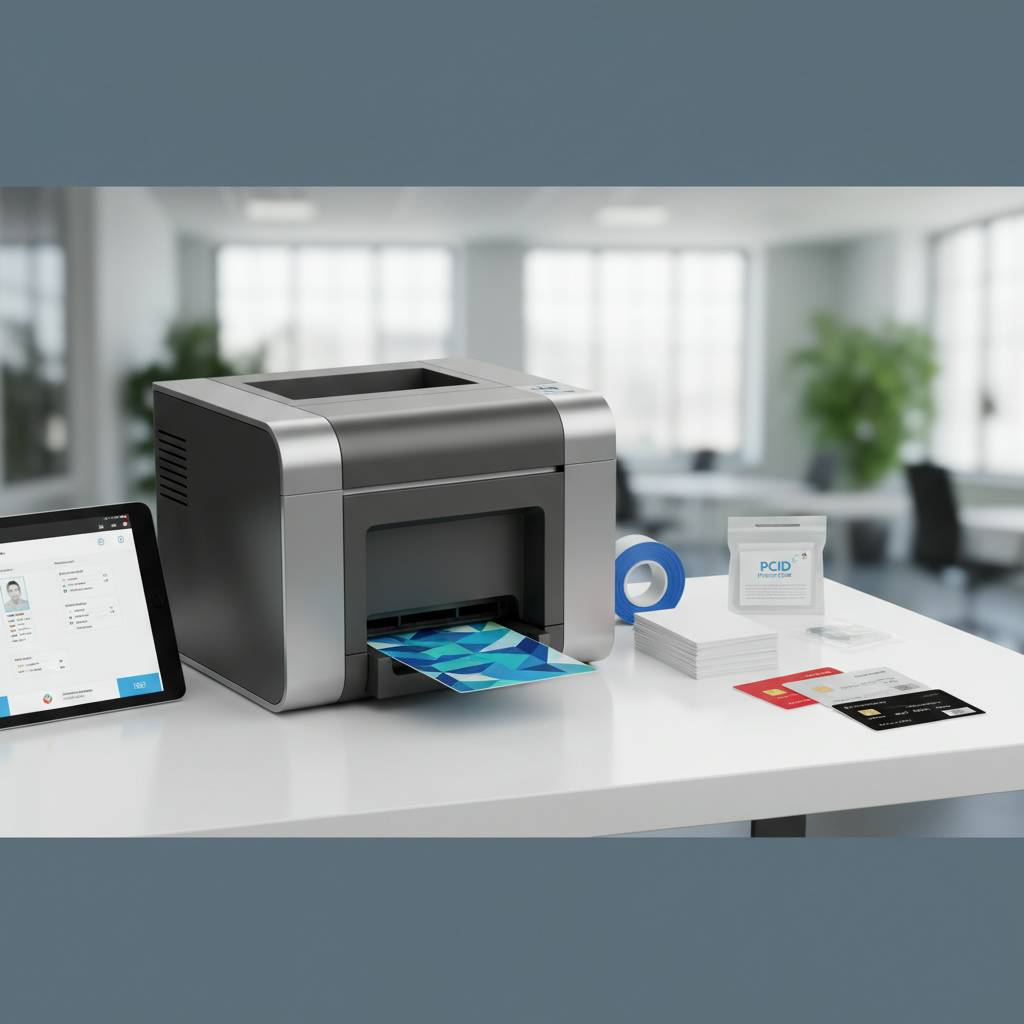 A desktop plastic card printer is only as good as the consumables feeding it. Cheap ribbons produce cheap cards - uneven color, premature fading, and ribbon jams that waste time and material. Plastic Card ID supplies manufacturer-matched ribbons for every printer in the lineup, ensuring the color calibration, yield, and longevity your program depends on.
The ribbon selection spans full-color YMCKO panels for photo-quality ID cards, monochrome ribbons for high-speed single-color output (black, gold, silver, red, blue), and specialty options including YMCKOK (with additional black panel for crisp text and barcodes) and holographic overlay panels. Matching the right ribbon to the right application is a detail that separates professional card programs from mediocre ones.
YMCKO vs. Monochrome Ribbons: Which Do You Need?
YMCKO ribbons - Yellow, Magenta, Cyan, black (K), and Overlay (O) - are the standard for full-color photo ID cards. Each card consumes one panel set, producing vibrant, photographic-quality output with a clear protective overlay. They're the right choice for any application where card appearance matters and photos or complex color designs are involved.
Monochrome ribbons sacrifice color for speed and economy. A single black monochrome ribbon can produce hundreds of cards per roll at a fraction of the cost per card of YMCKO. For applications like access control cards with simple text and barcode data, or loyalty cards where color is handled by a pre-printed card stock, monochrome ribbons dramatically reduce operating costs.
Cleaning Kits, Lamination, and Encoding Upgrades
Card printer maintenance isn't glamorous, but it's critical. Dust contamination on the printhead is the leading cause of print quality degradation, and a $20 cleaning kit used regularly can prevent a $300 printhead replacement. Plastic Card ID stocks cleaning kits - cards, rollers, and swabs - matched to each printer model for the kind of maintenance that keeps output consistently sharp. A clean printer is a reliable printer.
Lamination modules add a layer of durability and security to finished cards, protecting them against wear, UV fading, and tampering. Encoding upgrades for magnetic stripe and smart chip (both contact and contactless) can be added to compatible printer models, transforming a simple photo ID printer into a fully functional access control credential production system. These upgrades are available through Plastic Card ID and can be installed at the time of purchase or added later as program requirements evolve.
Card Carriers, Sleeves, and Input Hoppers
The physical handling of cards before and after printing matters more than most buyers initially consider. Input hoppers extend the printer's card capacity, allowing longer unattended print runs - particularly valuable in high-volume batch printing situations. Card carriers protect the printhead from dust during manual card feeding, a small detail that adds up over thousands of print cycles.
Card sleeves and carriers for finished credentials protect the investment of the printed card during distribution and daily use. Lanyard slots, badge holders, and protective sleeves round out the accessory ecosystem. Everything a complete card program needs, sourced from one supplier, means no compatibility surprises and no time wasted hunting across multiple vendors.
Buyer's Guide: Selecting the Right Desktop Plastic Card Printer for Your Organization
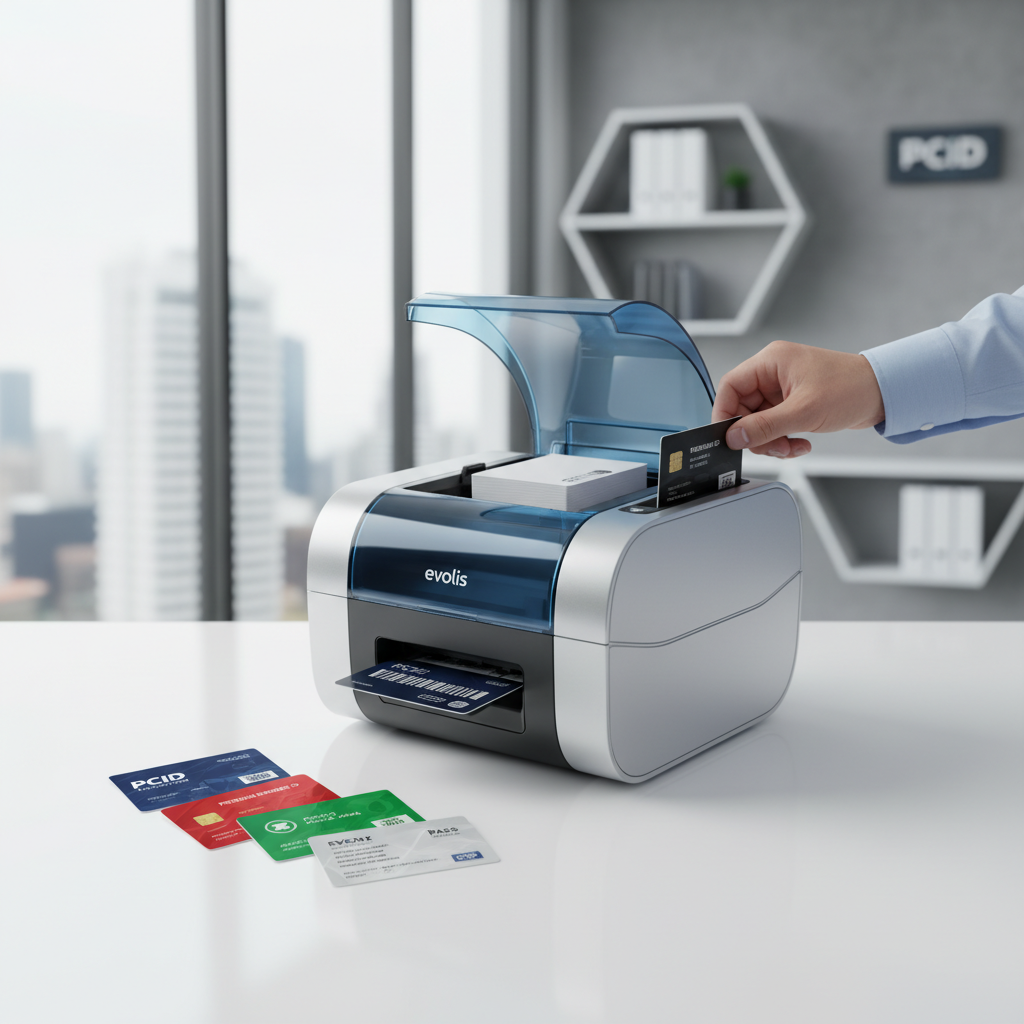 The single biggest mistake buyers make is purchasing based on price alone, without mapping the printer's capabilities to the program's actual requirements. A machine priced at $300 that tops out at 500 cards per year is a poor value for an organization printing 2,000 employee IDs per month. Conversely, a $1,200 industrial-grade machine is unnecessary overhead for a small gym printing 50 membership cards per quarter. Match the printer to the program, not the budget headline.
Start with three questions: How many cards will you print per month? Do you need dual-sided printing? Do the cards require encoding (magnetic stripe, smart chip, or both)? The answers to those three questions eliminate most of the guesswork and point you directly toward the right product tier.
Volume-Based Selection Guide
- Under 1,000 cards per year: Evolis Badgy200 - affordable, capable, compact
- 1,000-3,000 cards per month: Evolis Zenius - reliable mid-range performance
- Up to 6,000 cards per month: Evolis Primacy2 - dual-sided, encoding-ready workhorse
- Premium quality requirements: Evolis Agilia - edge-to-edge, highest fidelity output
- Security-focused programs: Fargo HDP Series - retransfer quality with tamper resistance
- Enterprise IT environments: Zebra ZC or ZXP Series - network integration and sustained reliability
- High-speed on-site events: Matica Event Printer - batch credentialing at pace
Total Cost of Ownership: Beyond the Printer Price Tag
A desktop card printer is a capital purchase with ongoing consumable costs. Calculating the true cost of ownership means factoring in ribbon cost per card, cleaning kit frequency, card stock pricing, and any encoding or lamination consumables. Organizations that run the numbers almost always find that in-house printing beats vendor outsourcing within the first year of operation, often within the first few months.
For reference, full-color YMCKO ribbons typically yield 200-500 prints per roll depending on the model, with per-card costs that vary based on volume. Monochrome ribbon yields are significantly higher, often 1,000 or more prints per roll. CPE can help you build a realistic cost-per-card estimate based on your specific program parameters - a conversation worth having before committing to any hardware.
Frequently Asked Questions About Desktop Card Printers
Can I print on both sides of the card? Yes - dual-sided printing is available on mid-range and higher models, including the Evolis Primacy2 and select Fargo and Zebra units. Single-sided models can often be upgraded.
Can I encode magnetic stripes or smart chips? Yes, encoding modules are available as factory options or aftermarket upgrades on compatible models. Plastic Card ID can confirm compatibility and supply the appropriate upgrade for your printer at 800.835.7919.
Applications: What Are Businesses Actually Printing with Desktop Card Printers?
The answer to that question is broader than most buyers expect when they first start researching. Card printing programs exist in virtually every industry and organizational type - from elementary schools to Fortune 500 corporations, from single-location boutiques to multi-site healthcare networks. The common thread is the need for professional, personalized, durable credentials that carry real operational and branding weight.
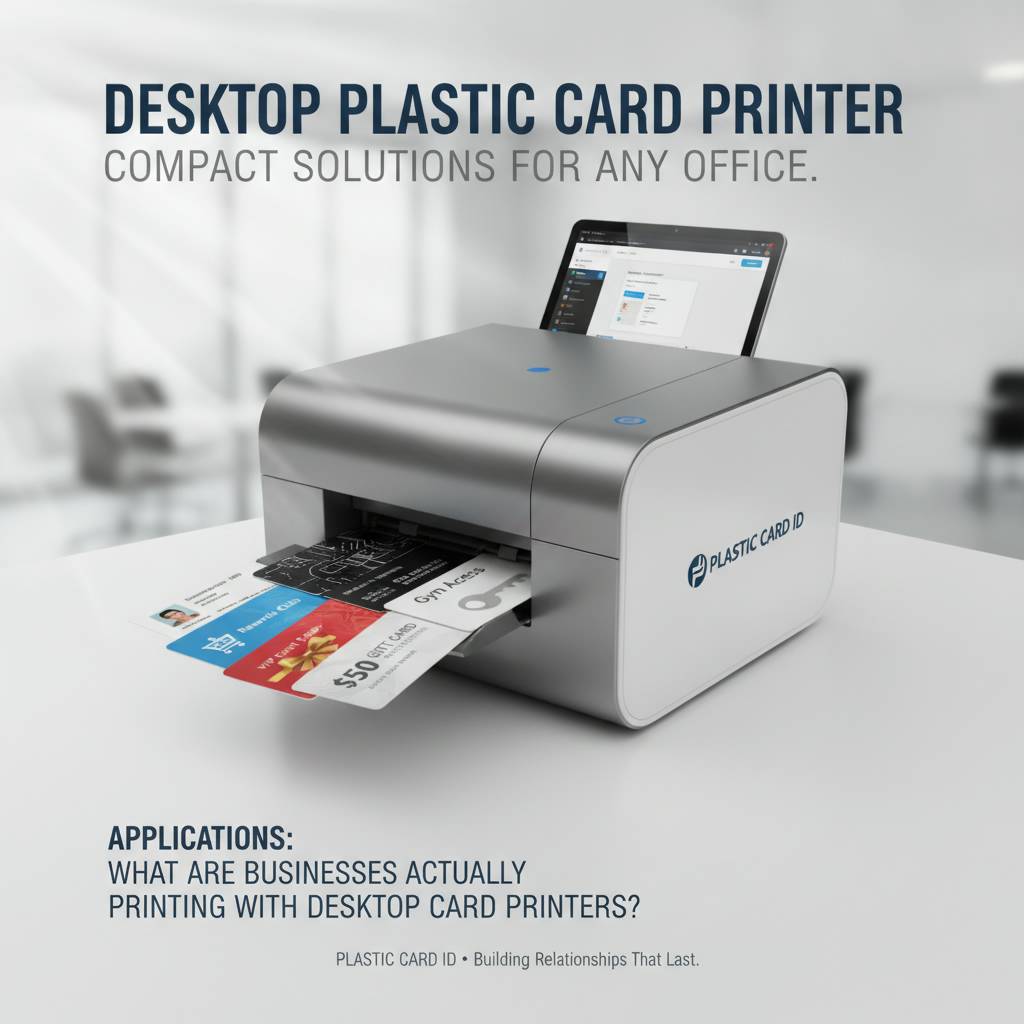
Plastic Card ID customers use desktop plastic card printers across an impressive range of applications, each with its own specific requirements for print quality, encoding, durability, and personalization depth. Understanding how other organizations deploy this technology often sparks ideas for programs that hadn't been previously considered.
Employee ID Cards and Access Control Credentials
The most common application, and for good reason. Employee ID cards do multiple jobs simultaneously - they identify personnel, control access to restricted areas, store data on magnetic stripes or smart chips, and project a professional image to visitors and clients. Organizations with more than a handful of employees find that outsourcing this function creates delays and security vulnerabilities that in-house printing eliminates entirely.
Onboarding a new employee on Monday and needing a functioning, encoded access credential by Monday afternoon is a scenario that in-house desktop printing handles without drama. Vendor lead times of 5-10 business days simply don't work in that context.
Membership Cards, Loyalty Cards, and Student IDs
Gyms, clubs, associations, libraries, and retail loyalty programs all share a common need: professional cards that members and customers actually want to carry. A flimsy, poorly printed card communicates brand values whether you intend it to or not. A sharp, well-printed card with magnetic stripe encoding for point-of-sale scanning projects competence and care - and that impression is formed the moment the card changes hands.
Student ID programs at schools and universities represent one of the highest-volume applications for desktop card printers. Annual re-issuance cycles, replacement card requests, new enrollee onboarding - the volume demands reliability, and the personalization demands full-color photo printing. The Evolis Primacy2 and Fargo HDP series are both popular choices in educational environments for exactly these reasons.
Hotel Key Cards and Event Credentials
Hotel key cards require contactless or magnetic stripe encoding in addition to print quality, and they need to be issued on-demand at the front desk without delay. The Matica Event Printer addresses a related but distinct scenario: high-speed on-site badge printing for conferences, trade shows, and corporate events where hundreds or thousands of attendees need credentials issued quickly and accurately.
Event credentialing is one of the most time-pressured card printing applications - badges need to be ready before the doors open, and late-arriving registrants can't wait. Having the right printer for that scenario isn't a luxury; it's an operational necessity. CPE has helped event organizers, convention centers, and corporate meeting planners set up programs that run cleanly under exactly that kind of pressure.
Ready to Build Your Card Program? Plastic Card ID Has Everything You Need
 Twenty-five years. Over 100,000 customers. A curated lineup of the best desktop plastic card printers on the market, backed by a complete ecosystem of consumables and accessories that keep programs running smoothly. That's not a resume - that's a track record. And it's the foundation on which Plastic Card ID helps organizations like yours take full control of their card printing programs.
The right desktop plastic card printer changes how your organization operates. Cards print on demand. Credentials are personalized and encoded in-house. Lead times from external vendors disappear. Costs drop. And the cards themselves - the ones your employees carry, your members display, your students depend on - look and function exactly the way professional credentials should.
Getting Started: What to Expect When You Reach Out
The first conversation with Plastic Card ID isn't a sales call - it's a needs assessment. What are you printing? How many per month? Do you need encoding? Are you replacing an existing system or starting from scratch? Those questions shape a recommendation that fits your program, not a generic upsell toward the most expensive option on the shelf. The goal is to match you with the right hardware at the right investment level.
From there, the process moves quickly. Hardware ships. Consumables are in the box or on the way. Setup is straightforward on every model in the lineup, and the software included with most units handles basic card design without requiring specialized expertise. More complex programs - multi-site deployments, encoding integrations, high-volume configurations - get the deeper support that 25 years of category experience enables.
Your Complete Card Program Partner
Beyond the initial purchase, Plastic Card ID remains the single source for everything your card program consumes: YMCKO and monochrome ribbons, cleaning kits, lamination film, encoding modules, card stock, input hoppers, and protective sleeves. No hunting across multiple vendors for compatible consumables. No compatibility surprises. One supplier, complete support, consistent results.
The organizations that get the most out of their card programs are the ones that treat the printer as an investment rather than a purchase - maintaining it properly, using quality consumables, and leveraging the full range of features the hardware supports. Plastic Card ID makes all of that straightforward.
Call Plastic Card ID today at 800.835.7919 - the team is ready to help you find the right desktop plastic card printer and build the complete program around it. Professional credentials, produced in-house, on your schedule. That's what Plastic Card ID delivers.
Print Plastic Cards In-House With Your Own Card Printer
Previous Page